Vetting a site before you pay
How to spot a recycled or expired domain before you buy a link
When a website is abandoned, its domain name eventually expires and goes back on sale. The links other sites gave it over the years do not disappear on that day. Whoever registers the name next inherits them, along with the authority score they produce.
That is the whole trick. This guide shows how to tell a site that earned its history from one that bought it.
Why recycled domains are built to sell links
Building a real blog to the point where others link to it takes years. Buying a dropped domain with those links already in place takes an afternoon. Add a theme, a few dozen articles and a "write for us" page, and the site can be listed on guest post marketplaces with a high score from day one.
The buyer sees an established domain. What they are paying for is a new site with no readers, wearing an old site's score. Why DR and DA mislead link buyers explains why the score lags reality.
Sign 1: the traffic shape
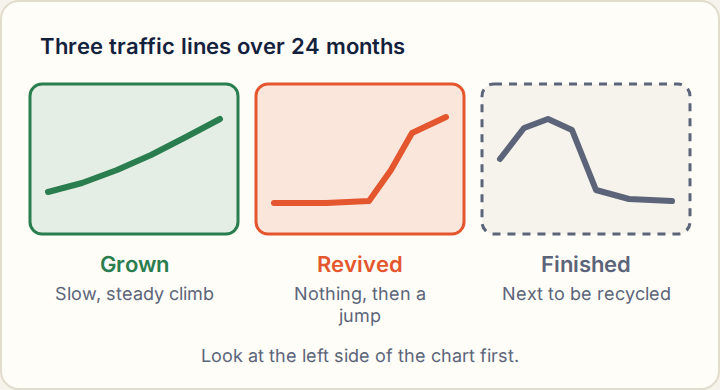
Pull 24 months of estimated traffic and look at the left-hand side of the chart first.
| Shape | What it usually is | What to do |
|---|---|---|
| Flat near zero, then a sharp climb | A domain brought back to life in the last year. | Check the archive before anything else. |
| High, a long gap at zero, then a new climb | The old site died, the domain dropped, a new one took its place. | Treat it as a new site with no track record. |
| A spike that lasts two or three months and falls away | One page ranked briefly, or traffic was bought. | Ignore the spike. Read the level either side of it. |
| A slow climb over two years | A site growing in the ordinary way. | Good sign. Carry on with the other checks. |
Our own rule: a site that averaged under 50 estimated visits a month a year ago and has more than 1,000 now is marked Watch, and the listing says so. How to read traffic history covers the other readings.
Sign 2: the web archive
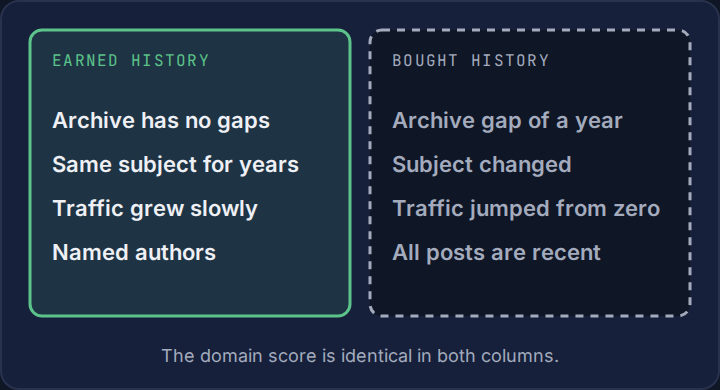
The public web archive keeps dated copies of most sites. Look the domain up and open one capture per year.
- A gap. No captures for a year or more, or captures showing a parked page or a registrar's holding page, mean the domain lapsed.
- A change of subject. A dental practice in 2019 and a home decor blog in 2025 are two different sites that share a name.
- A change of language or country. Another sign that only the name carried over.
- A change of everything at once. New design, new authors, new topics and new contact details in the same month point to a sale.
Sign 3: the content does not match the links
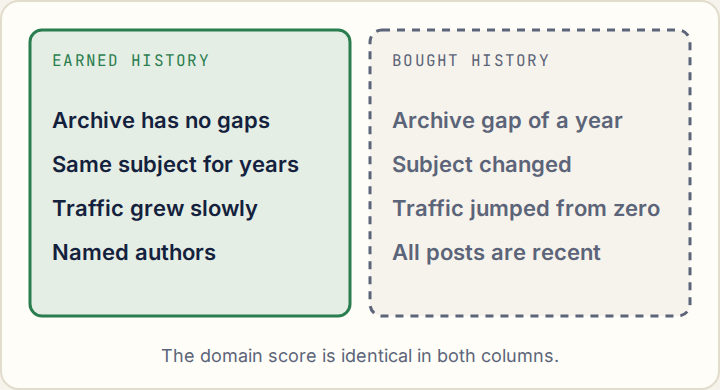
- Dates. Every article was published in the last year, on a domain registered ten years ago.
- Subjects. The posts cover anything a buyer might want: home, tech, health and finance on one blog.
- People. No named authors, or author profiles with no trace anywhere else.
- Selling pages. A price list or "write for us" page that is easier to find than the articles.
One of these on its own proves little. Together with a zero-then-jump traffic line and an archive gap, they settle it.
What our checks show
The second figure matters as much as the first. A domain whose traffic has collapsed is the raw material for the next recycled site. Its score will outlast its readers by a long time.
When a revived domain is fine
A change of owner is not a fault. Blogs are sold like any other business. The questions are whether the subject stayed the same and whether the readers stayed too.
| Fine | Walk away | |
|---|---|---|
| Subject | Same as before the change | Unrelated to the old site |
| Time since revival | Two years or more of steady traffic | Under a year |
| Old links | From sites on the same subject as today's content | From sites that have nothing to do with it |
| What it sells | Articles first, placements second | Placements first |
How to check this yourself
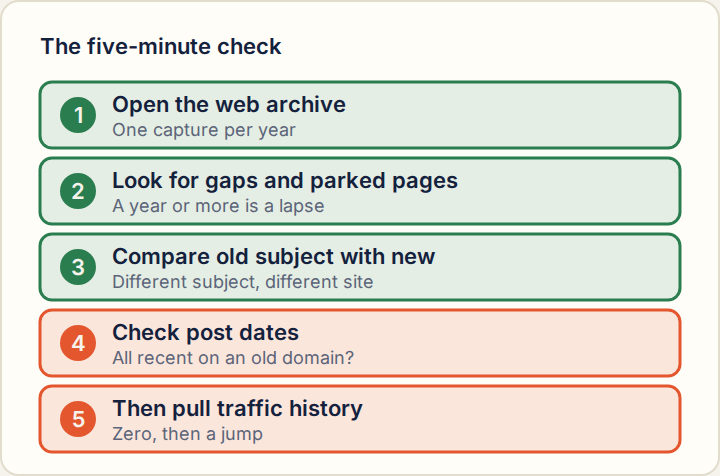
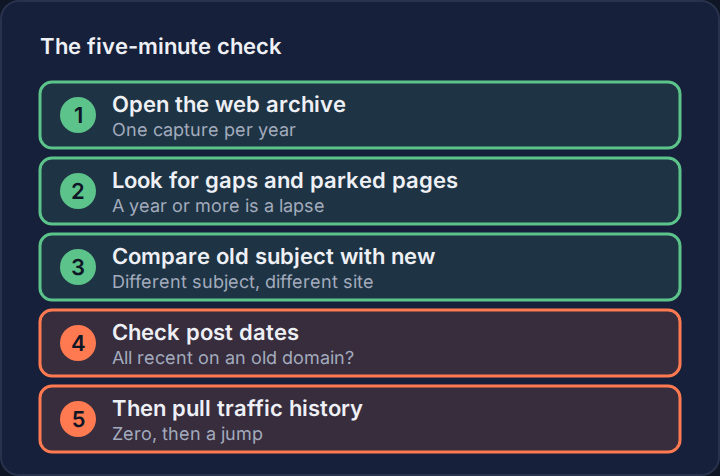
- Look the domain up in the web archive. Note the first capture and open one per year since.
- Mark any gap of a year or more, and any year where the capture is a parked or for-sale page.
- Write down the subject of the oldest working capture and of today's site. If they differ, stop.
- Sort the blog by oldest post. Compare the oldest post date with the age of the domain.
- Pull 24 months of traffic. Near zero a year ago and busy now needs an explanation.
- Ask the seller how long they have owned the site. A straight answer costs them nothing.
Questions buyers ask
- Are expired domains against Google's rules?
- Google's spam policies list expired domain abuse: buying an expired domain mainly to rank low-value content on its old reputation. Reusing a domain for a real site on the same subject is ordinary practice.
- Can I trust the registration date?
- No. The registration date can stay the same through any number of owners, and it resets only if the name fully drops. The archive tells you what was on the site, which is what matters.
- Is a link from a recycled domain worthless?
- Not always, but you are paying for a new site at an old site's price. If its old links come from unrelated subjects and it has no readers, there is little there to pass on.
Related guides
Sources
Last updated Methodology