Vetting a site before you pay
Will your guest post get indexed? Checks to run before you buy

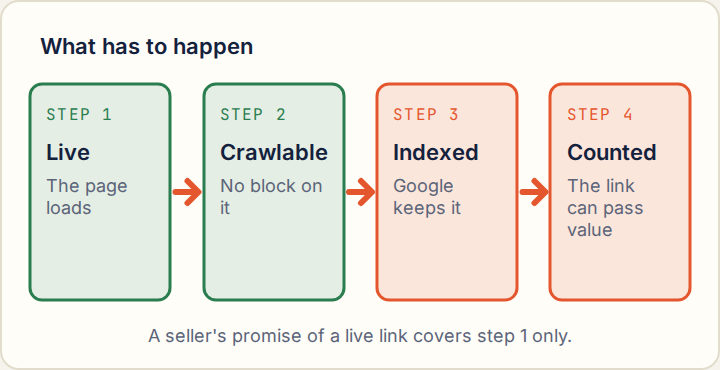
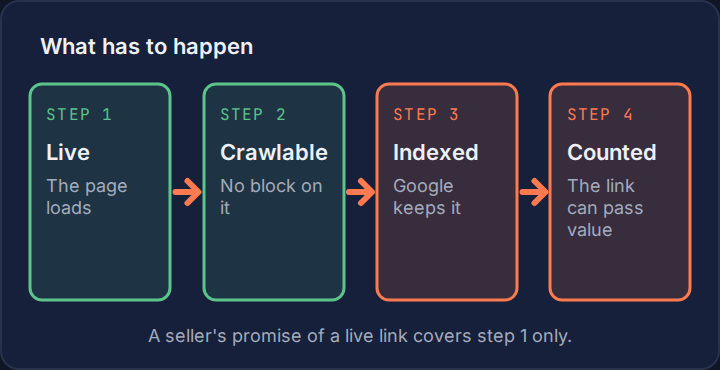
Sellers promise a live link. They rarely promise an indexed one, and the difference is the whole value of the purchase.
You cannot know in advance whether Google will index a page that has not been written. You can find out how Google treats the pages this site already publishes, and that is a strong guide.
Live is not indexed
A page is live when it loads. It is indexed when Google has crawled it and chosen to keep it. Google does not keep everything, and it keeps less from sites it finds thin or repetitive.
The best outside numbers come from SpeedyIndex, an indexing service that bought 15,389 links on gig marketplaces and checked them a year later. Of the pages that still loaded and carried no indexing block, only 8.6% were in Google's index. Overall, 3.7% were indexed, and 8.1% were deliberately blocked from indexing by the site. The study covers cheap gigs and comes from a company that sells indexing, so treat it as the low end. How backlinks pass value has the full breakdown.
Check 1: the site's recent record
Go to the blog index and copy the addresses of three posts published in the last three months. Paste each full address into Google.
| Result | Reading |
|---|---|
| All three found | Google is indexing this site's new posts. |
| Two of three | Acceptable. Check the missing one for a block. |
| One or none | Do not buy. Your post will most likely join them. |
Use posts that are a few weeks old. A post from yesterday may simply not have been crawled yet.
Check 2: the page type
Ask the seller exactly where the post will be published, and ask for a recent example of the same kind. Then test that example.
- Main blog post in a normal category: the product you want.
- A separate "guest" or "sponsored" section: often left out of the main navigation and crawled less.
- A subdomain: treated largely as its own site, with its own record.
- A profile, forum post or shared document: commonly closed to search engines by the platform, whatever the homepage's reputation.
Check 3: indexing blocks
Open the example post, view the page source and search it for three things.
| Look for | What it means |
|---|---|
| noindex in a robots meta tag | The site is telling Google not to index the page. |
| A canonical tag pointing to a different address | The site is telling Google another page is the real one. |
| The post's folder listed under Disallow in /robots.txt | Google is told not to crawl it. |
Any of these on the example means your post will carry it too. Sites sometimes add a block to paid posts only, which is why you test a paid example and not the homepage.
Check 4: how deep the post sits
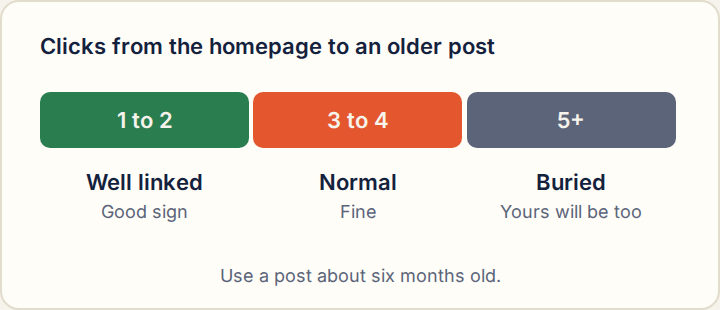
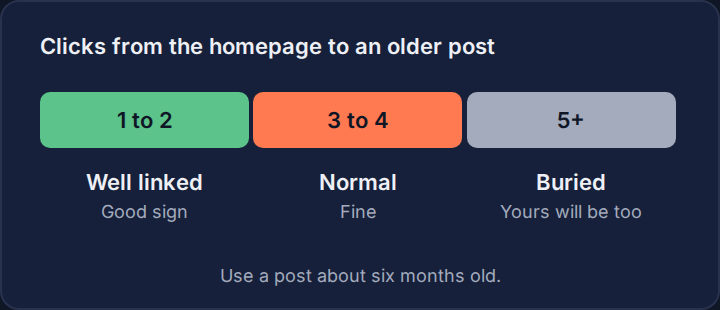
Find a post published about six months ago and count how many clicks it takes to reach it from the homepage, using only links on the pages. If you cannot get there in three or four, the site buries its older posts, and yours will be buried on the same schedule.
Confirmed by Google
Asked whether links lose value with age, Google's John Mueller gave the example of an article that begins close to a site's homepage and later moves into an archive, and said its links can count for less as the content becomes less relevant.
Check 5: does the site link to its own posts
Open three older posts and look for links to them from other articles on the site: "related posts", category pages, and links inside newer articles. A post that nothing on its own site links to is an orphan. Orphans are crawled rarely and dropped first.
You can improve the odds yourself. Ask for the post to go in a real category, ask whether a related article can link to it, and send some readers to it once it is live.
If the post is live but not indexed
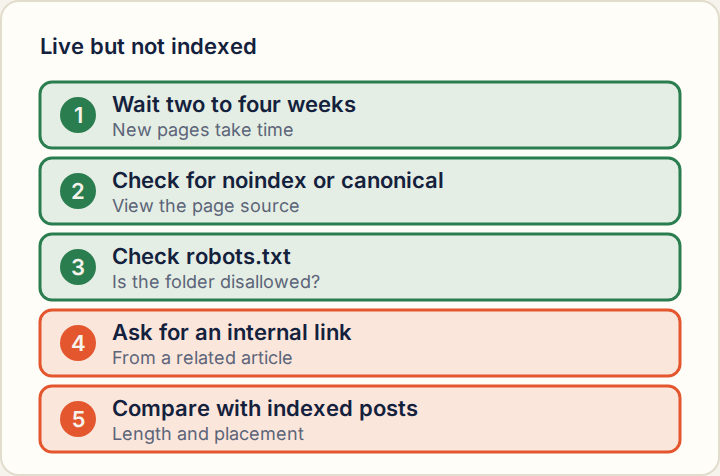
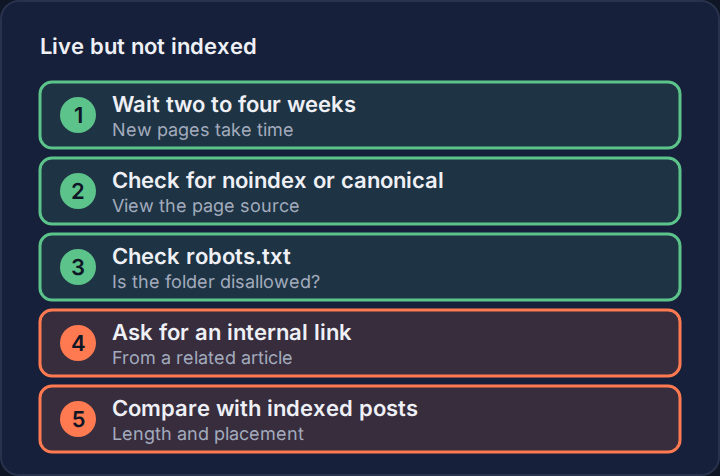
Wait two to four weeks before worrying. Then check for a block, check that the site links to the post, and ask the seller to add an internal link from a related article. If the site's other recent posts are indexed and yours is not, compare the two: length, originality and placement are the usual differences. The post-placement checklist sets out the routine.
How to check this yourself
- Copy three post addresses from the last three months and search Google for each.
- Ask the seller for a recent paid example of the same page type you are buying.
- Search Google for that example's address. If it is missing, stop.
- View its source and look for noindex and for a canonical tag pointing elsewhere.
- Open /robots.txt and check the example's folder is not disallowed.
- Count clicks from the homepage to a post from six months ago.
- Get it in writing: the post will be indexable, in a named category, with no noindex tag.
Questions buyers ask
- How long does Google take to index a guest post?
- Anywhere from hours to several weeks, depending on how often it crawls the site. Give it two to four weeks before treating it as a problem.
- Can a seller guarantee indexing?
- No one outside Google can. A seller can guarantee the page will be indexable: no noindex tag, no canonical to another page, and no robots.txt block. Ask for that.
- Do paid indexing services fix it?
- They may get a page crawled sooner. They cannot make Google keep a page it judges not worth keeping, and a page that needs one is telling you something about the site.
Related guides
Sources
- SpeedyIndex study of 15,389 bought backlinks, via Cantech Letter (November 6, 2026)
- Search Engine Journal: Google on whether link value changes with age
- BacklinkURLs methodology
Last updated Methodology